
All sets › How to get the bricks
How to get the bricks
Every design comes with a BrickLink file (.xml) that orders all the parts in one go. It takes about ten minutes the first time.
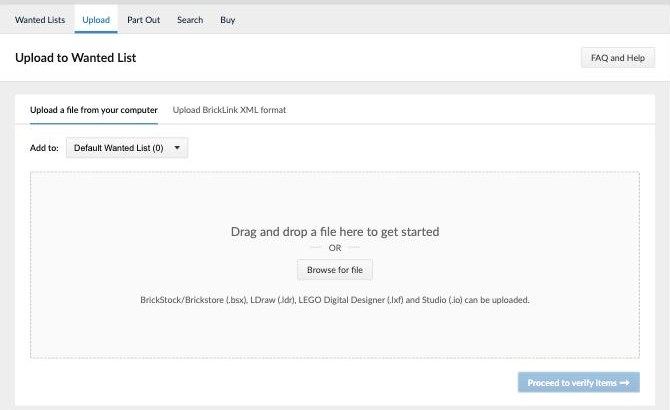
Create a free account at bricklink.com (it is the LEGO Group's own marketplace; you can sign in with a LEGO account). Then open Want → Upload and choose the BrickLink wanted list (.xml) file from your download.
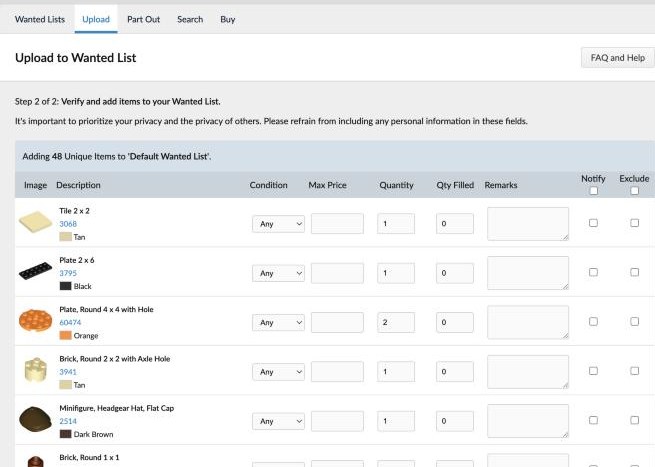
Check the list and click Add to Wanted List.
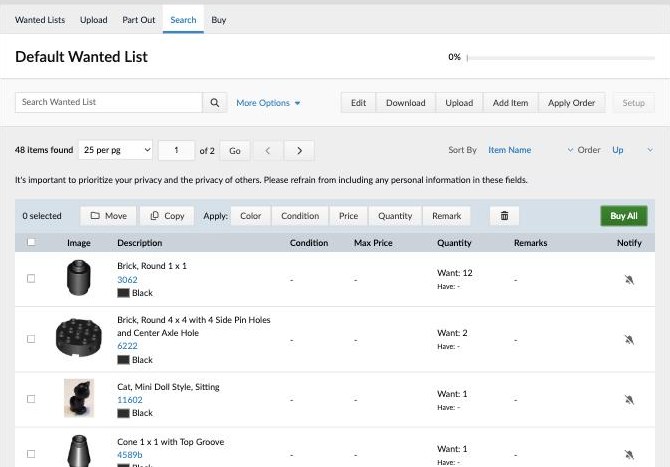
Open your wanted list and click Buy All.
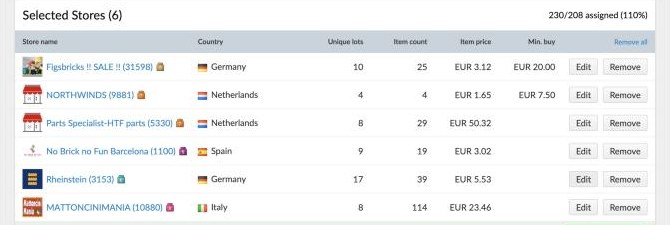
Choose where the stores should be (your country or the European Union saves shipping) and click Auto-select.
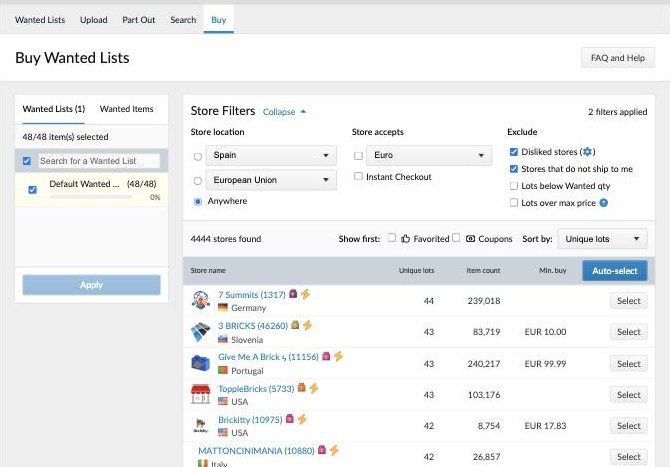
BrickLink picks the cheapest combination of stores, shipping included. Click Create carts and pay each store; the parts arrive in separate parcels.
Tips
- Fewer stores means less shipping: in Auto-select you can also pick one big store by hand with Select.
- Already have bricks at home? Before Buy All, set how many you have of each part (or delete the lines) and BrickLink only buys the rest.
- Parts hidden inside the model can be any colour: it is the easiest place to use what you have.
Other options
The official Pick a Brick shop sells new parts by number and colour (use the parts list .csv), but it does not have every part. Questions? Write to hello@shouldbeaset.com.
Fan designs, not affiliated with the LEGO Group. LEGO® is a trademark of the LEGO Group, which does not sponsor, authorise or endorse this site.